
The Macomb County Court Calendar
There is no single calendar. No one source covers every state case in Macomb County. The 16th Judicial Circuit Court and Macomb Probate Court offer county-linked paths. Each district court, though, keeps its own calendar. It handles criminal, civil, traffic, and small-claims matters. So the court name on your notice is the first field to pin down. A city name alone does not point to a separate municipal calendar here. For a public daily view, the Michigan Court Display is the main interface. CourtView runs a separate calendar route. It holds eligible Circuit and Probate data. MiCOURT Case Search can surface a setting inside a case result. Macomb also posts judge-specific motion schedules plus local calendar pages and PDFs. Each source answers a different piece. Together they cover the whole date question.
Macomb County Court Display Fields
Michigan Court Display keeps things simple. You get previous and next date buttons, a date input, and four columns. They are Party Name, Time, Room, and Case Number. Those four fields are enough. They match a daily listing against a notice or a known case. Pick a date with nothing on it and the display says no events are scheduled. Be careful what that means, though. It does not prove every Macomb County court is dark that day. It only covers the court you selected. The selected court always matters. A public display can leave out the judge, the setting type, the modality, or protected details. Take the exact case number and connect the calendar line to its Register of Actions. Then confirm the judge, the hearing type, and any appearance instructions with the court itself. A calendar entry is a scheduling record, nothing more. It is not a final outcome in the case. When the daily display lists the right number, MiCOURT Case Search adds the case-history layer behind it. The two tools show different views, and public coverage varies by court and case type. If the party name is redacted, lean on the number, the court, and the clerk rather than guessing from a daily line.
- Setting
- A listed court event, such as a motion, arraignment, pretrial, status conference, trial, or sentencing.
- Calendar line
- A daily listing that may show party, time, room, and case number without all case-history detail.
- Modality
- The required appearance method, such as in person, Zoom, or phone, when the judge or local court supplies it.
How to Find Your Court Date
Gather the basics first: case number, court name, party name, and hearing type. Add the judge if you know it. Start with the public source that covers that court. Do not stop there if a date seems close, missing, or inconsistent. A case history may reveal a later reset that a daily view hides. When you call, staff need enough detail to pull the right file. That matters most with common names. The county runs Circuit, Probate, and ten district courts side by side.
- Check Michigan Court Display for the selected court and date, using party name, time, room, and case number to match the listing.
- Use CourtView's calendar route for a 16th Circuit or Probate path where available.
- Search MiCOURT Case Search for a selected case history and any visible setting information.
- Check the official judge schedule, local calendar page, or published calendar PDF for room, motion, and remote-appearance details.
- Call the responsible clerk: Circuit Court Section 586-469-5351, Circuit general 586-469-7171, Probate 586-469-5290, or the particular district court.
- Use the clerk counter and public courthouse terminals when online results do not resolve the date; the Circuit Court Section's public terminals are at 40 North Main.
- Request the Register of Actions or a specific notice or order in writing if an older setting has disappeared from public search.
Note: For any hearing that is close, confirm with the court that holds the case. A daily calendar, a case history, and a judge schedule can each update on a different path.
Macomb County CourtView Calendar Route
The CourtView eServices Calendar is its own dynamic route. It is not CourtView case search. Do not assume the same fields, filters, or coverage. The live calendar depends on an active session and JavaScript support. Check which form controls are actually on the page before trusting a filter that is not there. Coverage-wise, CourtView holds computerized 16th Circuit and Probate data, not every district court. The Macomb County page itself shows the live calendar layout for the county-linked CourtView route.
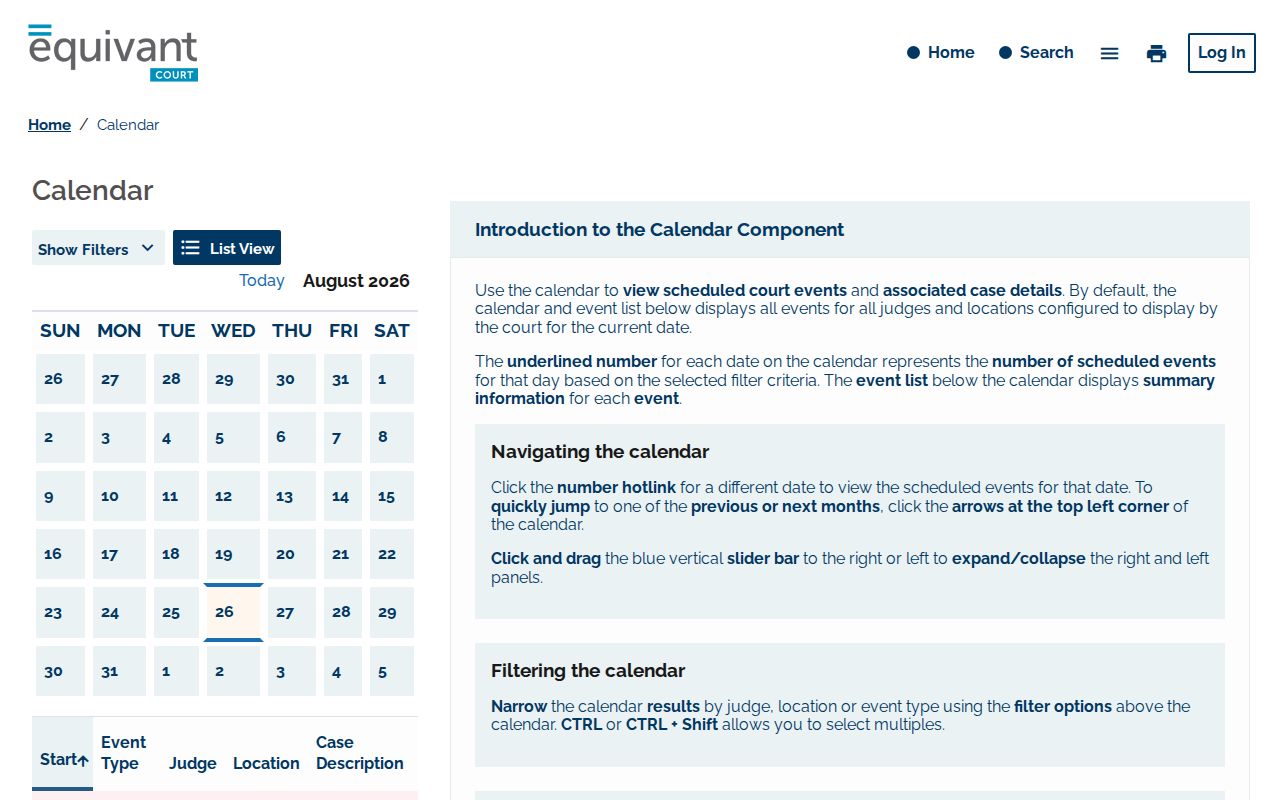
If CourtView cannot answer your setting question, move on. The case history, the judge's schedule, or the clerk with the official file will. And a login or filing menu is not proof that every calendar document is public.
Reading a Court Setting
A Macomb County court setting is a date plus the context that tells a party where, when, and why the court scheduled an event. Court Display visibly gives you party name, time, room, and case number. Need the selected court, judge, setting type, and modality? Turn to CourtView, a judge page, or the case history. Match every field to the case notice. Only then treat the line as the right setting.
| Date | The calendar date shown in a daily view; it is not necessarily a filing or disposition date. |
|---|---|
| Time | The listed local court time. Confirm whether it is an individual setting or a calendar call. |
| Room | The courtroom or room shown in Court Display; remote events can have separate instructions. |
| Judge | Use the case or official judge page because the static four-column display may not show the judge. |
| Setting type | May be motion, arraignment, pretrial, trial, PPO, status, settlement, sobriety, or sentencing. |
Anchor on the date, the time, the court, and the case number. The remaining fields round out context a daily listing may not show.
Macomb County Motion Schedules
The 16th Circuit publishes a judge motion schedule along with individual judge pages. Circuit-wide motion day is Monday. When a holiday lands on a Monday, motion day slides to Tuesday. That countywide pattern is a starting point only. It does not replace the notice in your case. A judge may use a different room, time, platform, or check-in process for a given event. Judge Julie Gatti's published schedule lists Monday motions, criminal and PPO settings, Tuesday through Thursday criminal and trial settings, civil EDSC, status and settlement slots, and a Wednesday sobriety setting. Judge Richard L. Caretti's pattern shows Tuesday through Thursday trials. Monday civil motions run by Zoom. Later-week conferences run by phone. Treat these as examples. Confirm any judge-specific pattern against the judge's current page before you rely on it.
Resets, Continuances, and Cancellations
A reset, adjournment, or continuance shifts a Macomb County court setting to a new date. The case history records both the event and the new date, while a daily calendar view may show only the listing picked for that day. Hearings also move between rooms and judges. Before you rely on a saved image or an old notice, compare the newest Register of Actions entry against the live calendar and the judge's own instructions.
"Scheduled" never means "held." A Macomb County docket line can vanish because the setting moved, was canceled, wrapped up, or is closed to public view. When public sources disagree, call the responsible division with the case number, your party role, hearing type, and judge. Circuit cases go to the Court Section. District cases belong to the local district clerk.
Macomb County Calendar Transitions
Judges change calendars in Macomb County without the case number changing. A January 13, 2026 county release announced one such shift. Chief Judge Pro Tempore Rachel Rancilio takes over Judge Diane Druzinski's Civil/Criminal docket on February 16, 2026. Tanya Grillo moves to the Family docket. So check any calendar result against the court's current judge directory and its scheduling instructions. The county's docket-transition release documents that assignment change in full.
The docket and case history stay useful after a transition. Contact details, room assignments, and how to appear can all shift, though. The court's active scheduling source controls.
What To Do If You Miss a Setting
Start with the court and the case number. Then call the responsible clerk right away. Ask what the case history records and whether the court has issued a new setting or instruction. Circuit matters go to the Circuit Court Section or the listed division. Probate and district-court matters need their own clerks. Keep the notice, and read the docket entry before you appear or file anything.
Missed a setting? A missed date can have serious case-specific consequences, so contact the holding court immediately rather than assuming an online calendar tells the whole result.
Ask for the current Register of Actions entry, the next setting, and any instructions from the judge or clerk.
If counsel represents a party, coordinate with counsel promptly; court staff can provide record and scheduling information but not legal advice.
Macomb County Court Calendar Fallback
When a public website falls short for a Macomb County case, the fallback is in person. Public terminals and clerk counters are the resource. The Circuit Court Section keeps public computer terminals for reviewing court records. File-room copies are separate. The clerk can explain the correct record-request route. Juvenile and Friend of the Court material sits in a different division. The first-floor Circuit file room is not the right stop for every court matter.
District calendars belong to the court that owns the case, not the Circuit calendar. The 37th District Court points public case searches to MiCOURT. Roseville's 39th District Court posts case-search, calendar, and Register-of-Actions links. The 40th District Court lists several local access channels. These include a public kiosk, a Virtual Counter history, email, a drop box, and in-person service. For any district case, follow the court named on the notice rather than a generic county switchboard. Probate's fifth-floor records operation is separate from the Circuit Court Section. Macomb's court-information page describes the courthouse's record-access and public-terminal context.
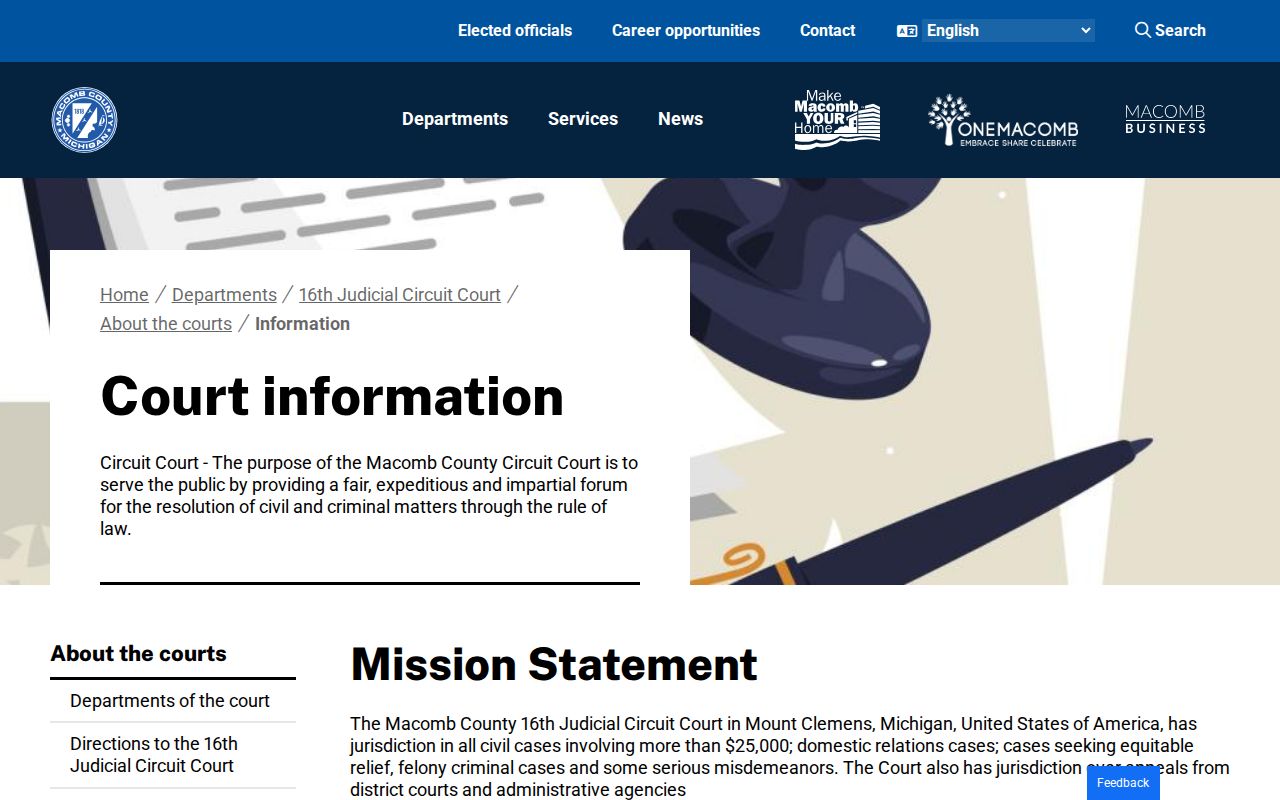
A terminal review or clerk confirmation can tie a case history to a date. But a public calendar lifts no restriction on sealed or nonpublic records.